 Alex Zah
A grounding app should make the next step easier to find. It should not turn a difficult moment into another large content library, another score to improve, or another promise that one technique works for everyone.
Disclosure: this comparison includes NerveWindow, which I built. I recommend another app whenever its job is a better fit.
How I reviewed these apps
On August 11, 2026, I reviewed each product's official page, current US store listing, stated workflow, access model, and safety language. I did not create paid accounts for every tier, and I did not rank apps by star rating. The question was simpler: what does the app ask you to do when you need grounding, and how much friction does it add?
Grounding is widely used in behavioral-health settings, but the evidence base is less settled than many app pages suggest. A 2025 critical review found that the field still lacks a consistent operational definition and direct efficacy studies. That is a good reason to judge these tools modestly: as ways to direct attention or action, not as proven treatments.
- Fast entry: can you begin without searching a large library?
- Clear job: does it use sensory focus, movement, breath, orientation, reflection, or state matching?
- Choice load: can you decide while overloaded?
- Access: is the free or paid boundary clear?
- Limits: does the product avoid presenting itself as professional or emergency support?
Choose a grounding app by situation
| What you need | Start with | Why it fits | Watch for |
|---|---|---|---|
| A familiar guided exercise | Ground My Mind | Minimal interface with 5-4-3-2-1, box breathing, word, and optional physical exercises. | iPhone requires iOS 17.6 or later. |
| Tactile input for restless hands | Tappy | Haptic fidgets, sound, small games, breathing, and grounding in one sensory tool. | The broad feature set may feel busy if you want one instruction only. |
| Eyes-open contact with the room | Okolee | Short exercises direct attention toward real objects, contrasts, shapes, and sensory details. | Gamified progress may not suit people who want a plain utility. |
| Vent first, then practice | Groundly | Combines a check-in and venting flow with breath, movement, sensory, and body-scan options. | Most personalized rituals and plans require a subscription. |
| Help choosing the kind of reset | NerveWindow | Starts with a plain-language state check and routes that choice to a short matched exercise. | It is broader than a dedicated 5-4-3-2-1 guide and does not provide crisis support. |

What a grounding app can actually do
Grounding usually means bringing attention toward present information: the room, contact with a surface, a sound, a movement, or a concrete task. It is often more external than meditation. You do not have to close your eyes or focus deeply inside the body.

No single grounding method is universally helpful. Research on regulatory flexibility supports a practical idea: context matters, and useful regulation depends partly on matching a strategy to the situation and responding to feedback. In plain language, if an exercise makes you feel more trapped, dizzy, numb, or distressed, stop and choose a different kind of support.

1. Ground My Mind: best for a simple guided grounding menu
What it does: Ground My Mind presents familiar options such as 5-4-3-2-1 sensory grounding, box breathing, a word exercise, and optional physical exercises. Its store listing emphasizes a minimal interface for moments of stress or overwhelm.
Best fit: you already know that a structured grounding exercise helps and want to reach it quickly.
Limit: the app is iPhone-only at the time of review, and the current minimum operating-system requirement excludes older devices. It also offers techniques rather than a deeper decision about which kind of support fits the state.
2. Tappy: best for tactile and haptic grounding
What it does: Tappy uses haptic fidgets, sounds, small games, guided breathing, meditation, mood tracking, and habit tools. The strongest reason to choose it is not the size of that list. It is the ability to give restless hands a concrete sensory task.
Best fit: tapping, vibration, sound, or simple play helps you come back to one point of attention.
Limit: Tappy is a broad self-care app. The same variety that makes it useful can create more choice than a highly overloaded moment can hold.
3. Okolee: best for eyes-open real-world orientation
What it does: Okolee asks you to keep your eyes open and notice the world around you. Exercises use ordinary visual and sensory details such as shapes, contrasts, categories, and nearby objects. Its website includes an interactive sample, so the basic approach is visible before download.
Best fit: inward attention or breath focus feels unhelpful, but looking around the room and naming what is present gives you more orientation.
Limit: progress mechanics and a virtual garden are part of the experience. Some people will find that encouraging; others may prefer a more neutral utility.
4. Groundly: best for venting followed by a grounding plan
What it does: Groundly combines emotional check-in and venting with more than one grounding mode, including breath, body scan, sensory grounding, cold splash, and mindful movement. Its paid flow builds a four-week plan and personalized rituals.
Best fit: naming what is weighing on you helps before you move into a practice, and you want a repeated plan rather than a single standalone exercise.
Limit: the current store listings make the free boundary narrower than the headline feature list. Personalized rituals, venting, insights, and the four-week plan require paid access. The iOS privacy label also lists several categories of data linked to identity, so read the current listing before adding personal material.
5. NerveWindow: best for choosing by current state
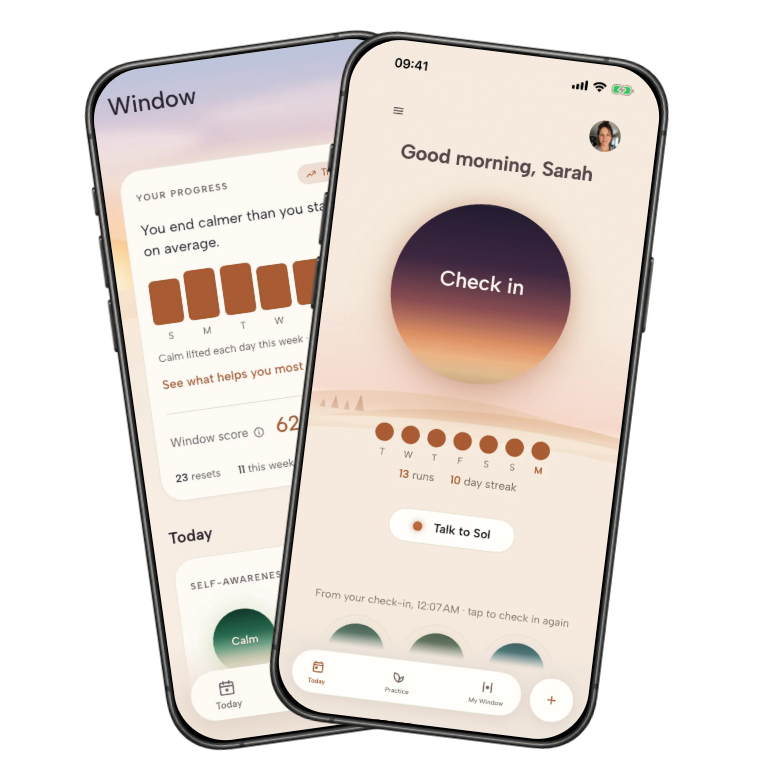
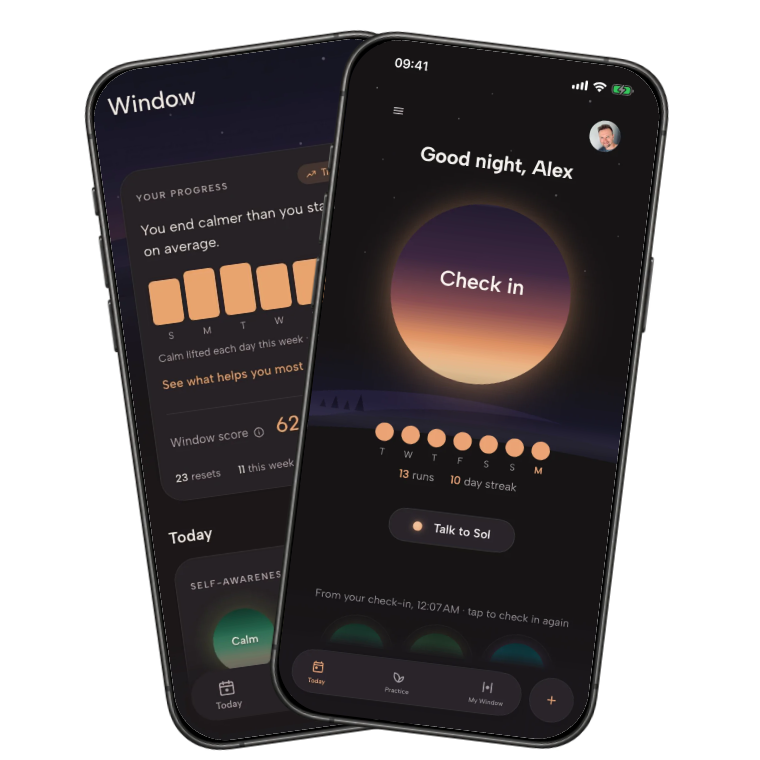
What it does: NerveWindow begins with a plain-language check-in, then gives you a short exercise matched to the state you select. The point is to reduce the decision from a large library to one next practice.
Best fit: grounding sometimes helps, but other moments need movement, downshifting, load reduction, or a more workable next action.
Limit: I built NerveWindow, so treat this recommendation as disclosed. It does not diagnose why you feel disconnected or overloaded, and it does not replace therapy, medical care, or crisis support.
See how state-matched exercises are chosen or view the current NerveWindow offer.
Grounding app vs meditation or breathwork app
Choose grounding when you want more contact with the room, your senses, a surface, or a concrete movement. Choose meditation when observing thoughts or returning to an attention anchor is already familiar and tolerable. Choose guided breathing when breath pacing feels comfortable and you want a narrow, repeatable exercise.

These categories overlap, but the entry point matters. If closing your eyes or monitoring your breath increases discomfort, an eyes-open sensory or movement exercise is a more reasonable first test.
Want to compare more than grounding apps? Here are the best nervous system regulation apps, sorted by what each one is for. For breathing apps, see breathwork apps compared.
When an app is not enough
A grounding app cannot assess a medical symptom, determine why you feel disconnected, provide trauma treatment, or keep you safe during a crisis. Stop the exercise and seek appropriate support if you feel unsafe, severely distressed, faint, medically unwell, connected to traumatic memory, or at risk of harming yourself or someone else.
Common questions
What is the best grounding app for adults?
Ground My Mind is the clearest simple guide for named exercises. Tappy fits tactile input, Okolee fits eyes-open orientation, Groundly fits venting plus a longer plan, and NerveWindow fits people who want the exercise chosen from a broader state check.
Is a grounding app the same as a meditation app?
Not usually. Grounding often directs attention outward toward the room, the senses, contact, or movement. Meditation more often asks you to observe thoughts, breath, or internal experience for a period of time.
Can grounding make me feel worse?
Yes. Strong sensory input, inward focus, or forced breathing can feel uncomfortable for some people. Stop if an exercise increases distress, disconnection, dizziness, or a sense of danger.
Do grounding apps replace therapy or medical care?
No. They are self-guided tools for everyday support. They do not diagnose a condition, assess risk, provide crisis care, or replace a qualified professional.
Short takeaway
Choose the grounding job first. Use Ground My Mind for a familiar guided technique, Tappy for tactile focus, Okolee for eyes-open orientation, Groundly for venting and a repeated plan, or NerveWindow when you want a short exercise matched to the state you select.
Educational note: this comparison is for everyday self-guided learning. It does not diagnose, treat, cure, or prevent any condition. Product features, access, and store availability can change after the review date.
NerveWindow checks the state first, then gives you one short matched practice. One payment, lifetime access.