 Alex Zah
Calm gives you meditations, sleep audio and music to choose from. This review checks the cost and access before you commit.
Is Calm free?
Yes, with limits. Calm Free includes selected Sleep Stories and limited music. Daily Calm and Masterclasses need Premium (checked October 31, 2026).
How much does Calm cost in 2026?

| Plan | Price | Trial | Checked date |
|---|---|---|---|
| Free | No payment | No paid trial needed | October 31, 2026 |
| Premium annual: public US offer | $69.99/year | 7 days, if eligible | October 31, 2026 |
| Premium annual: web-trial help offer | $79.99/year | 14 days, if eligible | October 31, 2026 |
| Monthly: earlier page snapshot | $14.99/month; confirm checkout | Current amount/trial not confirmed | October 31, 2026 |
| Lifetime: help-center list price | $499.99 once, plus tax | No trial stated | October 31, 2026 |
| Family: six adult accounts | $119.99/year, plus tax | Check offer | October 31, 2026 |
Offers differ by region and purchase route. The monthly figure is retained from our earlier page; the current US store lists that amount without a billing period. Confirm it before buying. Lifetime is an individual purchase, and buying it does not cancel an old subscription.
A separate Pro web subscription also exists (checked October 31, 2026).
How to cancel Calm
On iOS: Settings > your name > Subscriptions > Calm > Cancel Subscription. On Android: Google Play > profile > Payments & subscriptions > Subscriptions > Calm > Cancel. For web billing: sign in at Calm.com > profile > Settings > Manage Subscription > Cancel Subscription. Finish the prompts and check the expiry date (checked October 31, 2026).
Deleting the app does not cancel a paid subscription.
What do users complain about?
Calm’s billing help covers trial charges, subscriptions found under another store account and confusion about access after cancellation. These are documented support issues, not a survey of how often problems happen. Cancelling stops renewal; it does not automatically issue a refund (checked October 31, 2026).
Is Calm worth it?
Pay for Calm if you regularly use its Sleep Stories, teachers or meditation library. Try the free content first. If you only need a breathing timer or one short practice, a free tool may be enough.
Method and evidence limits
This comparison uses what Calm and NerveWindow say about themselves in public, official sources: app store listings, official pricing pages, and each company's own description of what its product does. It does not score health outcomes, and star ratings or download counts are not evidence that either app changes anyone's physiology. A company's own claim about its own product is not independent proof that the claim holds up.
- Official vendor claims — statements Calm makes about its own features, taken from its App Store listing and public materials.
- Storefront facts — pricing, plan names, and platform availability as listed on the Apple App Store at the time of writing.
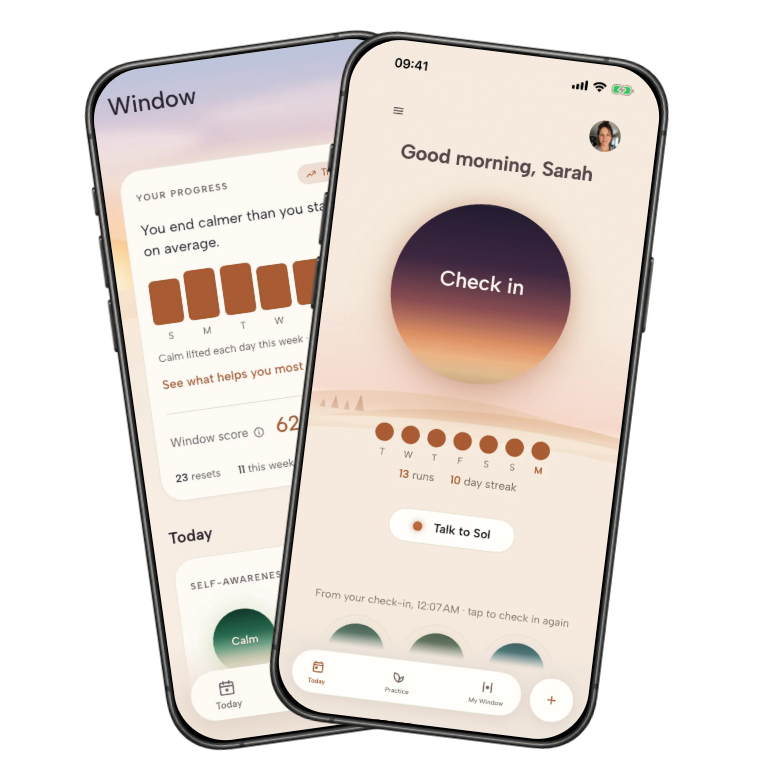
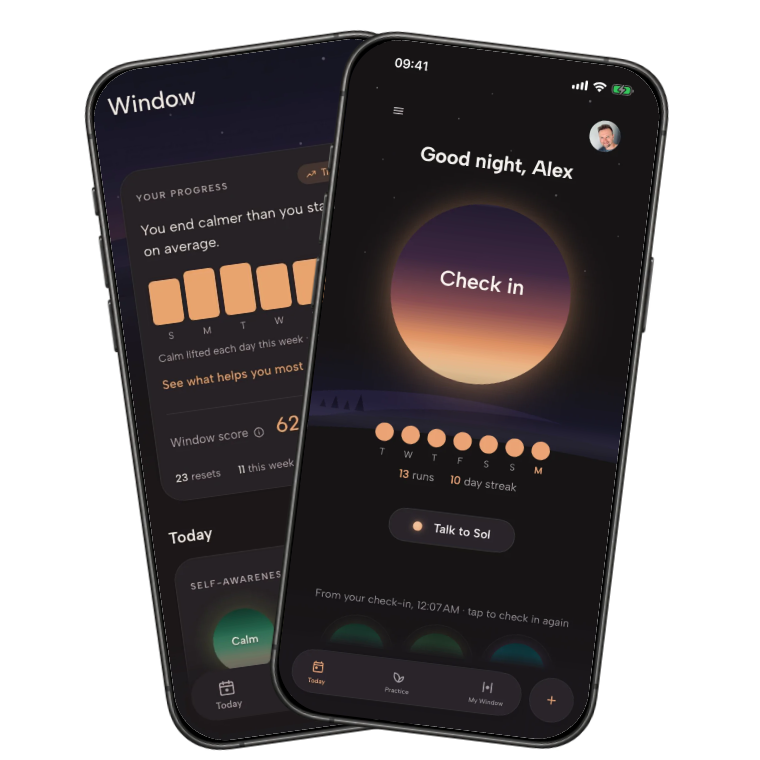
- NerveWindow facts — pricing and mechanics for NerveWindow, stated directly by us.
- Editorial inference — a reasonable read on who each product fits, based on the facts above, not a measured result.
What Calm currently offers
Calm is a meditation and sleep app built around a large library rather than a single guided path. The core content includes guided meditations of varying lengths, breathing exercises, ambient music, and its well-known Sleep Stories — narrated wind-down content, some read by recognisable voices. Calm also runs "Masterclasses," short video series from wellness teachers on topics like focus, movement, and stress.

The app is available on iOS, Android, and the web, and it is one of the two most recognised consumer meditation brands, alongside Headspace. It has been around for years and is used inside a number of workplace wellness programs, which has helped build broad name recognition even among people who have never opened it.
Because Calm is organised as a library, using it well means searching or browsing: picking a category, a teacher, or a session length that fits your mood. That works well when you have time to explore. It asks more of you in the moment you are already overwhelmed, when scrolling through options is itself a small burden.
Privacy details worth reading
Calm requires an account, created with an email address or a social sign-in, to sync your progress and manage a subscription across devices. As with most subscription apps, some usage and device data is collected to run the service, personalise recommendations, and handle billing through Apple or Google.
The specific list of data types Calm collects and who it is shared with is published on Calm's Privacy Nutrition Label on its App Store listing and in its own privacy policy. Read those directly before you sign up rather than relying on a summary here or anywhere else — they are the authoritative source and can change between app updates.
Calm's clearest fit
Calm earns its popularity honestly. It is the right tool for a specific kind of person and a specific kind of use.
- You like choosing your own content. A large, well-produced library rewards people who enjoy browsing for the right meditation, teacher, or sleep story rather than being handed one option.
- Sleep is your main goal. Sleep Stories are a genuinely distinct feature with no close equivalent in most competing apps, and they are one of Calm's most consistently praised offerings.
- You want a long-established brand. Calm has a long track record and wide use in workplace wellness programs, which matters if you want something familiar and well known.
- You have 10 to 20 minutes and a quiet space. Most of the content is built for a real wind-down session, not a fast reset between meetings.
Where the model may not fit
The same design choices that make Calm appealing to some people make it a worse fit for others.
- Choice can be a burden when you are already overwhelmed. Browsing a large library takes attention and decision-making, which is exactly what is hardest when you are keyed up.
- The subscription adds up. The public US offer lists $69.99 a year (checked October 31, 2026). Compare the renewal total with how often you will use it.
- Most sessions assume time and quiet. Ten to twenty minutes of wind-down does not fit a five-minute break at a desk or in a car.
- Lifetime is a separate web purchase. Calm’s help center lists individual lifetime access at $499.99 plus tax (checked October 31, 2026). Check the live offer before buying.

Calm vs NerveWindow
For a wider view, read our NerveWindow, Calm and Headspace comparison.
Calm and NerveWindow solve different problems, even though they compete for some of the same searches. The table below lines them up job by job.

Core job
A library of meditations, sleep content, and music to browse and choose from.
One matching exercise for the state you name, chosen for you in under a minute.
Access
iOS, Android, and web, gated behind a Calm account.
Browser-based, gated behind a NerveWindow account, no app store install needed.
Choice model
You pick the category, teacher, and length yourself.
You describe how you feel; the app picks the exercise.
Content depth
A very large, long-running library covering meditation, sleep, and music.
A focused set of state-matched exercises, each around seven minutes.
Payment model
Checked October 31, 2026: public annual offer $69.99; Family $119.99/year. Other offers differ; see the price table.
Checked October 31, 2026: $27 once for lifetime access to the purchased app tier. No subscription needed.
Best fit
People who enjoy browsing a large library, especially for sleep.
People who want to be told what to do right now, without browsing.
When NerveWindow is the better alternative
NerveWindow is worth a look specifically when browsing itself is the problem — when you are already dysregulated and do not want to scroll a catalogue to find the right session.
- You want to be told what to do. NerveWindow asks what state you are in and gives you the one matching exercise, rather than a list of options to sort through.
- You would rather pay once. The $27 web offer buys lifetime access to the purchased app tier, with a 30-day money-back guarantee (checked October 31, 2026).
- You need it fast. Each exercise runs about seven minutes, built for a break between tasks rather than a full wind-down ritual.
Who should stay with Calm
Calm is a genuinely strong product for the right reader, and it is worth saying plainly where it beats a smaller, focused tool like NerveWindow. If you like exploring a broad library — different teachers, different lengths, different moods — rather than being handed one exercise, Calm's depth is a real advantage NerveWindow does not try to match. If sleep content specifically is your priority, Sleep Stories are a distinctive feature with a long track record. And if you do not mind an ongoing subscription in exchange for continual new content, the yearly cost is a reasonable trade for many people.
Free alternatives to Calm
Free access checked October 31, 2026:
- Insight Timer: free guided meditations, sleep audio and a meditation timer. Pick it if you want to browse.
- Medito: free meditations, sleep stories and courses with no premium tier. Pick it for a meditation habit without a subscription.
- NerveWindow free tools: use the free browser tools for a breathing timer, grounding or a check-in. The hub lists 18 free tools. No account or payment needed. These are separate from the paid app.
Other alternatives by job
Calm is not the only established name in this space, and it is worth comparing a few others depending on what job you actually need done.
- Headspace — better if you want structured, multi-day courses instead of an open library. See our Headspace review.
- Insight Timer — better if cost is the main concern; it has the largest free meditation library of the major apps. See our Insight Timer review.
- Liven — another option worth comparing on price model and features; see our Liven review.
- NerveWindow's exercise finder — if you just want to try a state-matched exercise directly, use the nervous system exercise finder.
What to check before choosing
- The live price on the payment screen. Subscription prices change; confirm the current monthly and yearly figures inside the app before you commit.
- Whether it renews monthly or yearly. Know your exact renewal date so a subscription does not quietly continue past when you meant to stop.
- The refund window. Use the refund route for the platform that billed you. Calm’s cancellation help links its refund policy; Apple handles Apple purchases.
- Which platform you will actually use. Confirm the app supports your phone, tablet, or browser setup before paying for a plan.
FAQ
Is Calm free?
Yes, with limits. Calm Free includes selected Sleep Stories and limited music. Daily Calm and Masterclasses need Premium (checked October 31, 2026).
How much is Calm per year?
The public US offer lists $69.99 per year after a seven-day trial. A separate web-trial help page lists $79.99 per year after 14 days. These are different published offers; your checkout gives the applicable price (checked October 31, 2026).
Does Calm have a free trial?
Calm advertises a seven-day Premium trial on its public plans page. A separate web-trial help page describes 14 days. Eligibility and signup route matter; check the end date and renewal price before confirming (checked October 31, 2026).
How do I cancel Calm?
On iOS: Settings > your name > Subscriptions > Calm > Cancel Subscription. On Android: Google Play > profile > Payments & subscriptions > Subscriptions > Calm > Cancel. For web billing: sign in at Calm.com > profile > Settings > Manage Subscription > Cancel Subscription. Finish the prompts and check the expiry date (checked October 31, 2026).
Is Calm worth it?
Pay for Calm if you regularly use its Sleep Stories, teachers or meditation library. Try the free content first. If you only need a breathing timer or one short practice, a free tool may be enough.
Was Calm tested for this review?
No. This is a comparison of official product descriptions, published plans and visible store feedback. We did not run a personal trial or measure outcomes. NerveWindow is the app behind this site.
Prefer a short practice chosen around what is happening now?