 Alex Zah
This review covers the self-discovery app published by Chesmint, not an unrelated app with the same name. Liven's strongest idea is breadth inside one guided system. It is not simply a mood tracker or a library of isolated exercises.
Disclosure: NerveWindow publishes this comparison and is one of the alternatives. I built NerveWindow and have a commercial interest in it. I recommend another product whenever it fits the stated job better.
Liven in 30 seconds
- What it is: a self-discovery app with short lessons, a journal, mood tracking, daily tasks, calming sounds and Livie, an AI coach. Its App Store page now calls it "Liven: AI Life Coach".
- Who makes it: Chesmint Limited, a company registered in Limassol, Cyprus.
- Is it free? No. Liven's help center says it is "not completely free". You can download it for free, but the full app is paid.
- Free trial: on the App Store and Google Play, 3 days on the weekly plan and 7 days on the yearly plan. On the website there is no free trial, only a discounted first period.
- Price: the US App Store lists plans from $7.99 a week to $49.99–$89.99 a year, and a $99.99 lifetime plan (October 26, 2026). Your price may differ.
- Extra subscriptions: Livie chat and coaching are separate add-ons that usually renew every 31 days.
- Ratings: 4.4 on the App Store (52K ratings) and 3.8 on Google Play (56.6K reviews), checked October 26, 2026.
- Best for: people who want a guided self-discovery program with an AI coach.

Want something smaller, with no subscription? NerveWindow costs $27 once and gives you one short practice for how you feel right now, with a 30-day money-back guarantee.

How this Liven review was checked
Product facts checked October 26, 2026 (first published August 19, 2026). I reviewed Liven's official product pages, Help Center, and US App Store listing, plus official documentation for each alternative. This is a documentation-based comparison, not a claim that I completed a long-term personal trial or clinical evaluation of every app.
I compared the main job, first useful outcome, return loop, amount of choice, and key limitation of each product. Features, availability, ratings, offers, and billing terms can change after the review date.
Choose by the job you need done
| Your main job | Best fit | Why it fits | Main limit |
|---|---|---|---|
| Follow a guided self-discovery journey | Liven | Structured learning, reflective tools, daily tasks, and the Livie companion sit in one system. | The broader system can be more than you need when the goal is one immediate action. |
| Use several reflection tools together | Liven | Mood tracking, journaling, tests, sounds, tasks, and learning content share one product. | Livie chat and coaching are separate add-on subscriptions. |
| Name emotions with more precision | How We Feel | Its check-in builds emotion vocabulary, adds context, and helps reveal patterns over time. | Its center of gravity is awareness and tracking, not a broad practice matcher. |
| Log mood and activities quickly | Daylio | Fast entries, charts, goals, and activity correlations make repeated tracking efficient. | Logging and statistics still leave the next exercise mostly to you. |
| Make daily habits feel playful | Finch | Goals and wellness activities connect to caring for a virtual companion. | The game loop may feel like extra activity when you want one neutral step. |
| Choose one short exercise for now | NerveWindow | A plain-language check-in routes the current signal to a short fitting practice. | It is not a lesson program, mood diary, or AI conversation companion. |
What the Liven app actually does
Liven describes itself as a self-discovery companion. Its Help Center organizes the app into Journey, Explore, Tools, Companion, and Profile. The current tool set includes journaling, daily tasks, tests, sounds, and mood tracking. The Livie companion provides conversational guidance, while the Journey provides a more structured path through short learning and reflection.
Its US App Store listing was rewritten in 2026. The app is now called "Liven: AI Life Coach" and leads with Livie, an AI coach for emotional regulation, a Role Play feature to rehearse real-life conversations, a personal path with a daily streak, calming tools, a journal and bite-size lessons. On October 26, 2026, the listing showed a 4.4 rating from about 52,000 ratings, iPhone and Apple Watch availability, an 18+ rating, and in-app purchases. On Google Play it has 3.8 stars from about 56,600 reviews. Store figures are snapshots, not evidence that the product will work for every person.
Where Liven is strongest
Liven is the strongest fit in this group when you want lessons, reflection, tracking, and companion-style guidance gathered into one guided system. It asks for more engagement than a single-purpose check-in, but that breadth is the point.
Choose Liven when the ongoing process matters: learning about recurring patterns, recording moods, returning to daily prompts, and using a conversational companion. Liven also says it offers quick-reset tools alongside the longer self-discovery path.
Where Liven may be the wrong fit
Liven may be less direct if you already know that your only question is, "What is one practical thing I can do right now?" A broad toolkit creates more possible places to go: a lesson, journal, mood entry, task, sound, test, or conversation.
Liven's premium access is mostly an auto-renewing subscription, with a lifetime option in the app stores. Its help center says Livie and coaching are "separate subscriptions from your main Liven plan", and workbooks are charged on their own too. So one person can end up with several charges. Check the checkout page closely before you pay.
What Liven costs
Liven's help center says plainly: "Liven is not completely free." What you pay depends on where you buy it:
- App Store and Google Play: weekly, yearly and lifetime plans. The weekly plan can start with a 3-day free trial and the yearly plan with a 7-day free trial. The trial turns into a paid plan if you don't cancel in time.
- Website: no free trial. You may get a discounted first period, then it renews at the regular price. Plans there are a weekly intro that continues as monthly, monthly, or every 3 months.
- US App Store prices (October 26, 2026): $7.99 a week; yearly plans at $49.99, $59.99 or $89.99 (with trial); lifetime $99.99; a bundle of 2 workbooks $19.99.
- Add-ons: Livie chat and coaching are separate subscriptions, usually every 31 days. Coaching needs an active Liven plan and includes 3 free messages to try it.
- Renewal: every plan except lifetime renews on its own until you cancel.

How to cancel Liven
Cancel where you paid. Liven's help center gives these steps:
- Bought on the website: log in, open your Profile, choose Manage Subscription and tap Cancel. You may be offered a free month. Scroll to the bottom, tap Cancel subscription again and confirm. Website plans don't show up in your phone's store settings.
- Bought on iPhone: open Settings, tap your name, tap Subscriptions, find Liven and tap Cancel subscription.
- Bought on Android: open the Google Play Store, tap your profile icon, go to Payments & Subscriptions, then Subscriptions, choose Liven and tap Cancel subscription.
- Livie and coaching add-ons: in the app go to Settings, then Membership, and cancel each one.
- Timing: cancel at least 24 hours before the trial or period ends. Deleting the app does not cancel. If you get stuck, email [email protected].

Liven refunds
Liven's money-back policy (updated June 15, 2026) lets you ask for a refund within 30 days of your first purchase, but only if you used the app: at least 7 days in a row in the first 30 days for monthly or longer plans, 5 days in a row for 4-week plans, or 3 days in a row in the first 7 days for weekly plans. You prove it with screenshots of your streak and email [email protected]. App Store purchases follow Apple's refund rules. People in the EU and UK also have a 14-day right to withdraw.
What Liven reviews say
Liven has 4.4 out of 5 on the US App Store from about 52,000 ratings, 3.8 on Google Play from about 56,600 reviews, and 4.3 on Trustpilot from about 35,000 reviews (October 26, 2026). On Trustpilot, Liven pays for a subscription and invites its customers to leave reviews. The lower Google Play score is worth noticing. High ratings show that many people like using it. They do not prove that it changes your health.
Free alternatives to Liven (by job)
Liven is free to download, but the full app is paid, and its prices vary by store, plan and country. If the job you need done has a free or one-time option, the alternatives split this way:
- Name emotions precisely — How We Feel is entirely free (nonprofit, no paid tier).
- Log mood and activities quickly — Daylio has a free core; Premium starts at $4.99 on the US App Store.
- Make habits feel playful — Finch has a free core; Finch Plus is $9.99/month or $69.99/year.
- One short practice for now — NerveWindow is $27 one-time, no subscription, with a 30-day money-back guarantee.

How the main Liven alternatives differ
How We Feel: best for precise emotion labeling
How We Feel is a nonprofit wellbeing journal built around choosing a more precise emotion word, adding context, reviewing patterns, and trying short strategies. It is the clearest choice here when emotion vocabulary and repeated check-ins are the main job.
Daylio: best for fast tracking and statistics
Daylio centers on quick mood and activity entries, then turns those entries into charts, streaks, goals, and correlations. It is a stronger fit than Liven when you want efficient data capture and pattern review without a larger guided self-discovery curriculum.
Finch: best for playful daily motivation
Finch connects goals and wellness activities to caring for a virtual companion. Its advantage is emotional continuity and reward. It is a better fit when a gentle game loop makes daily habits easier to revisit.
NerveWindow: best for one state-matched next practice
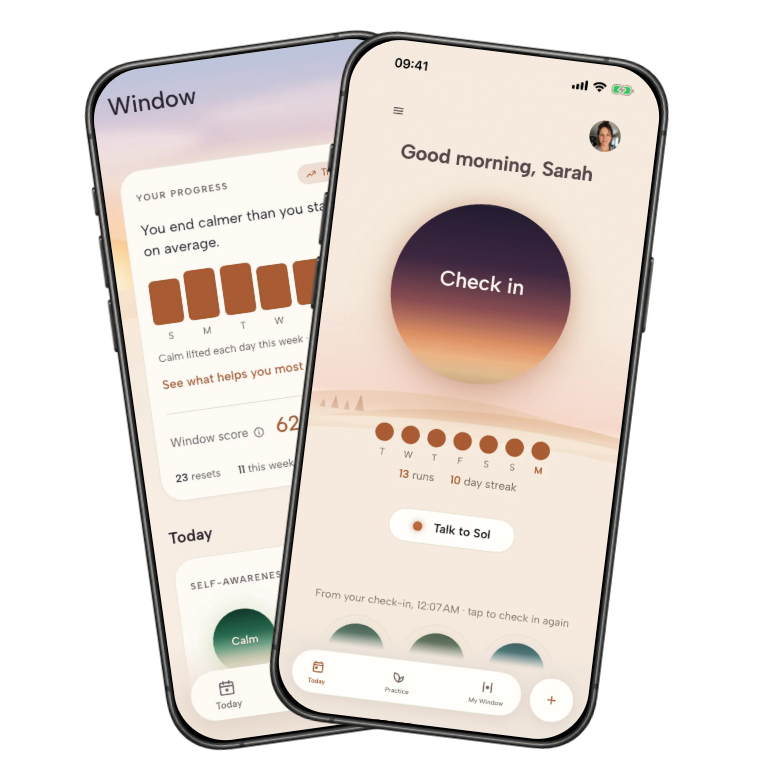
NerveWindow starts with a short check-in about what is happening now, then matches that signal to a brief practice using breathing, grounding, movement, body awareness, writing, or another route. It deliberately does a narrower job than Liven.
See how NerveWindow chooses one short practice.
Liven versus NerveWindow
There is overlap because both products use questions to make self-guided support feel more relevant. The difference is what happens next. Liven opens a continuing journey across several tools. NerveWindow tries to reduce the number of decisions between a current signal and one short practice.
Is Liven worth it?
It depends on what you need. Liven is probably worth trying if:
- You want lessons, a journal, mood tracking and an AI coach in one app.
- You will use it most days. The refund rules also expect a streak of daily use.
- You are fine with a subscription and will set a reminder before the trial ends.
It is probably not worth it if:
- You only want help in the hard moments, not a daily program.
- You don't want several subscriptions. Livie chat and coaching cost extra.
- You only want to track moods. Free apps like How We Feel or Daylio do that.
How to decide whether Liven is worth trying
- Name the main job. Guided learning, precise emotion labeling, mood statistics, habit motivation, and one immediate practice are different needs.
- Choose your preferred return loop. Decide whether you want lessons, entries, charts, a companion, or a short state check-in to bring you back.
- Check the current billing terms. Confirm the renewal period and whether optional companion or coaching features are included before purchasing.
- Judge the difficult-day opening. The right product is the one whose first steps still feel usable when attention is limited.
Common questions
How much does Liven cost?
On the US App Store (October 26, 2026), Liven lists $7.99 a week, yearly plans at $49.99, $59.99 or $89.99, and a $99.99 lifetime plan. Livie chat and coaching cost extra. Prices on the website and in other countries can differ.
How do I cancel Liven?
Cancel where you paid. Website: Profile, Manage Subscription, Cancel, then Cancel subscription again at the bottom of the page. iPhone: Settings, your name, Subscriptions, Liven. Android: Google Play Store, Payments & Subscriptions, Subscriptions, Liven. Cancel add-ons in the app under Settings, Membership. Deleting the app does not cancel.
Can I get a refund from Liven?
Sometimes. Liven's money-back policy covers requests within 30 days of the first purchase if you used the app several days in a row (7 days for monthly or longer plans). Email [email protected] with streak screenshots. App Store purchases follow Apple's refund rules.
Is Liven legit?
Liven is a real paid app from Chesmint Limited, registered in Limassol, Cyprus, with published terms, a privacy policy and a money-back policy. Read the renewal and add-on rules before you pay, because Livie and coaching are billed separately.
What does the Liven app do?
Liven combines a guided self-discovery journey with learning content, mood tracking, journaling, daily tasks, tests, soundscapes, and the Livie AI companion.
Is Liven worth it?
It may be worth considering when you want structured lessons and several reflection tools in one system. It is less direct when your main need is one short practical exercise for the current moment.
What are the best alternatives to Liven?
Choose How We Feel for precise emotion labeling, Daylio for fast mood and activity statistics, Finch for gamified daily habits, or NerveWindow for one short exercise matched to a current signal.
Is the Liven app free?
No. Liven's own help center says it is "not completely free". You can download it for free, and App Store and Google Play plans can start with a 3-day (weekly) or 7-day (yearly) free trial. After that it is a paid plan that renews on its own. Website plans have no free trial.
Is Liven a therapy app?
No. Liven describes itself as a self-discovery companion and includes a non-medical disclaimer. It is not a substitute for therapy, medical care, diagnosis, crisis care, or appropriate professional support.
Are Livie and Liven coaching included?
No. Liven's help center says Livie and coaching are separate subscriptions from your main Liven plan, usually renewing every 31 days. Coaching needs an active Liven plan and includes 3 free messages to try it.
Which is better for me: Liven or NerveWindow?
Choose Liven for the broader system of lessons, reflection, tracking, and companion-style guidance. Choose NerveWindow when the narrower job is selecting one short practice for what is happening now, for $27 once with no subscription.
If your main friction is choosing what to do in the moment, NerveWindow starts with the current signal and narrows the next step.
Sources
- Liven official product overview and app sections.
- Liven official self-discovery overview.
- Liven US App Store listing for the current features, prices and the 4.4 rating (October 26, 2026).
- Liven on Google Play for the 3.8 rating from 56.6K reviews.
- Liven help center: Is the Liven app free? for trials and plans.
- Liven help center: how to cancel.
- Liven money-back policy, updated June 15, 2026.
- Liven terms of use for the company (Chesmint Limited, Cyprus).
- Liven on Trustpilot for the 4.3 score and its invited-review note.
- Liven official documentation on additional subscriptions.
- How We Feel official product overview.
- Daylio official product overview.
- Finch official new-user guide.
- NerveWindow official workflow.
Features, ratings, availability, access models, and billing terms can change after the review date.